

- 424
- IGN
- videogamesm12
Introduction
HD heads were a fusion of two exploits which was utilized to create player heads with textures with a much higher resolution than usual. The first exploit abused an oversight in how the game authenticated textures for heads while the second exploit abused a lack of texture resolution validation. To allow for players to create heads of any player they want, the game stores a link to the texture in the item's NBT as part of a Base64-encoded block of text. When it needs to show the texture, it verifies that the URL belongs to a Mojang-operated service. Once it passes, it downloads the texture, loads it into memory, and applies it to the head. Mojang made a couple mistakes with this system which some clever exploiters leveraged to make the game load user-created textures hosted from the Education Edition's website. It was introduced in ~1.7 and was patched in 1.17.Unlike many exploits, HD heads were actually widely used and accepted by the community. Information about how to pull off the exploit was public as early as April 2019, but it exploded in popularity after knowledge about how to perform it hit a wider audience, resulting in the birth of a thriving ecosystem in which "head packs" and similar ideas were being distributed as commodities. Later on, following the discovery of a crash exploit regarding the second half of the exploit stack, it proved to be an incredibly powerful administrative tool that could track alternate accounts with a high amount of accuracy due to quirks in how the game caches skin textures. An unofficial patch for the crash exploit was created, but was distributed in private to avoid undermining the administrative capabilities.
The technical explanation for this thread was written with the codebase of 1.16.5 in mind.
Background
With the release of Minecraft 1.7.6, Mojang changed how player skins work where instead of just grabbing the latest version of a player's skin using the name stored in the NBT, it would instead store data about the player and the URL to the skin they were using at the time as a string encoded in the Base64 format. However, this left open a huge security hole in the Minecraft client stack as there wasn't any checks whatsoever to make sure the skin URL was actually pointing to an official Mojang or Minecraft domain, meaning that a malicious player could easily send anything to your client to either straight up crash it or grab your IP address.After the original exploit was reported multiple times to Mojang, they addressed it with the release of version 1.8.4, which included a new version of the game's authentication library that added a whitelist check that makes sure that the domain in the URL ends with either
.minecraft.net or .mojang.com, with the relevant code shown below:
Java:
private static final String[] WHITELISTED_DOMAINS = new String[] { ".minecraft.net", ".mojang.com" };

private static boolean isWhitelistedDomain(String url) {
    URI uri = null;
    try {
        uri = new URI(url);
    } catch (URISyntaxException e) {
        throw new IllegalArgumentException("Invalid URL '" + url + "'");
    }
    String domain = uri.getHost();
    for (int i = 0; i < WHITELISTED_DOMAINS.length; i++) {
        if (domain.endsWith(WHITELISTED_DOMAINS[i]))
            return true;
    }
    return false;
}How did they work exactly?
The first exploit works by circumventing the aforementioned security measure by using a domain hosted by Mojang. While this seems impossible at a first glance (after all, how would you upload a PNG file to some corporate web page, anyways), a method soon came out which used the Minecraft: Education Edition website, which just so happened to allow users to upload images of their choosing as notes to any lessons. This produced a valid URL with the domain "education.minecraft.net", so when the game would check to see if the domain was whitelisted it would find that the domain ends with.minecraft.net and let it through. The bug was introduced in 1.8.4.The second exploit involves the size of the head texture, and it was introduced with the release of 1.13. When the game goes to render a player head, it first checks to see if the head contains a skin texture. If it doesn't, then it falls back onto getting the skin of the player UUID. If it does, then it calls a function which checks if the texture is loaded in memory by hashing the file name with the SHA-1 algorithm and verifying that the texture located in memory at
minecraft:skins/<hash>. If it's loaded in memory, it returns the identifier and moves on. If not, then the game creates a PlayerSkinTexture with parameters containing the path to the skin in your cache, its URL, a texture to fallback to if it fails, whether to run the "conversion" function (which in our case will be true), and what to do once the texture is available. Afterwards, it calls a function in the game's texture manager to registers the texture so that it can be loaded. In the registration method, the game then calls an internal function to actually load the skin as a texture and keep it in memory. Let's take a look at the load function for PlayerSkinTexture.
Java:
@Override
public void load(ResourceManager manager) throws IOException {
    MinecraftClient.getInstance().execute(() -> {
        if (!this.loaded) {
            try {
                super.load(manager);
            } catch (IOException var3x) {
                LOGGER.warn("Failed to load texture: {}", this.location, var3x);
            }

            this.loaded = true;
        }
    });
    if (this.loader == null) {
        NativeImage nativeImage;
        if (this.cacheFile != null && this.cacheFile.isFile()) {
            LOGGER.debug("Loading http texture from local cache ({})", this.cacheFile);
            FileInputStream fileInputStream = new FileInputStream(this.cacheFile);
            nativeImage = this.loadTexture(fileInputStream);
        } else {
            nativeImage = null;
        }

        if (nativeImage != null) {
            this.onTextureLoaded(nativeImage);
        } else {
            this.loader = CompletableFuture.runAsync(() -> {
                HttpURLConnection httpURLConnection = null;
                LOGGER.debug("Downloading http texture from {} to {}", this.url, this.cacheFile);

                try {
                    httpURLConnection = (HttpURLConnection)new URL(this.url).openConnection(MinecraftClient.getInstance().getNetworkProxy());
                    httpURLConnection.setDoInput(true);
                    httpURLConnection.setDoOutput(false);
                    httpURLConnection.connect();
                    if (httpURLConnection.getResponseCode() / 100 == 2) {
                        InputStream inputStream;
                        if (this.cacheFile != null) {
                            FileUtils.copyInputStreamToFile(httpURLConnection.getInputStream(), this.cacheFile);
                            inputStream = new FileInputStream(this.cacheFile);
                        } else {
                            inputStream = httpURLConnection.getInputStream();
                        }

                        MinecraftClient.getInstance().execute(() -> {
                            NativeImage nativeImagex = this.loadTexture(inputStream);
                            if (nativeImagex != null) {
                                this.onTextureLoaded(nativeImagex);
                            }
                        });
                        return;
                    }
                } catch (Exception var6) {
                    LOGGER.error("Couldn't download http texture", (Throwable)var6);
                    return;
                } finally {
                    if (httpURLConnection != null) {
                        httpURLConnection.disconnect();
                    }
                }
            }, Util.getMainWorkerExecutor());
        }
    }
}
It's a bit complicated, but I'll help run you through it. The game loads the fallback skin mentioned earlier so that at least something can be rendered if something were to go wrong. Afterwards, it checks to see if there isn't an ongoing task to download the texture and if that's the case, it checks to see if the skin has already been cached before and if it has, then it attempts to read the skin texture file from the game's cache (located in
.minecraft/assets/skins) and upon succeeding it moves on and calls the post-read functions that we'll get to in a bit. If it hasn't, then the game attempts to download the skin texture in the background to your cache and then read the file afterwards. From here, it queues up a task to run the post-read functions when the game gets the chance. Speaking of the post-load functions...
Java:
@Nullable
private NativeImage loadTexture(InputStream stream) {
    NativeImage nativeImage = null;

    try {
        nativeImage = NativeImage.read(stream);
        if (this.convertLegacy) {
            nativeImage = remapTexture(nativeImage);
        }
    } catch (IOException var4) {
        LOGGER.warn("Error while loading the skin texture", (Throwable)var4);
    }

    return nativeImage;
}

private static NativeImage remapTexture(NativeImage image) {
    boolean bl = image.getHeight() == 32;
    if (bl) {
        NativeImage nativeImage = new NativeImage(64, 64, true);
        nativeImage.copyFrom(image);
        image.close();
        image = nativeImage;
        nativeImage.fillRect(0, 32, 64, 32, 0);
        nativeImage.copyRect(4, 16, 16, 32, 4, 4, true, false);
        nativeImage.copyRect(8, 16, 16, 32, 4, 4, true, false);
        nativeImage.copyRect(0, 20, 24, 32, 4, 12, true, false);
        nativeImage.copyRect(4, 20, 16, 32, 4, 12, true, false);
        nativeImage.copyRect(8, 20, 8, 32, 4, 12, true, false);
        nativeImage.copyRect(12, 20, 16, 32, 4, 12, true, false);
        nativeImage.copyRect(44, 16, -8, 32, 4, 4, true, false);
        nativeImage.copyRect(48, 16, -8, 32, 4, 4, true, false);
        nativeImage.copyRect(40, 20, 0, 32, 4, 12, true, false);
        nativeImage.copyRect(44, 20, -8, 32, 4, 12, true, false);
        nativeImage.copyRect(48, 20, -16, 32, 4, 12, true, false);
        nativeImage.copyRect(52, 20, -8, 32, 4, 12, true, false);
    }

    stripAlpha(image, 0, 0, 32, 16);
    if (bl) {
        stripColor(image, 32, 0, 64, 32);
    }

    stripAlpha(image, 0, 16, 64, 32);
    stripAlpha(image, 16, 48, 48, 64);
    return image;
}
Java:
private void onTextureLoaded(NativeImage image) {
    if (this.loadedCallback != null) {
        this.loadedCallback.run();
    }

    MinecraftClient.getInstance().execute(() -> {
        this.loaded = true;
        if (!RenderSystem.isOnRenderThread()) {
            RenderSystem.recordRenderCall(() -> this.uploadTexture(image));
        } else {
            this.uploadTexture(image);
        }
    });
}

private void uploadTexture(NativeImage image) {
    TextureUtil.allocate(this.getGlId(), image.getWidth(), image.getHeight());
    image.upload(0, 0, 0, true);
}
The first thing the
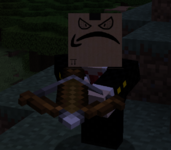
loadTexture function does is take the PNG data the game read earlier and convert it into an instance of NativeImage, which is Minecraft's built-in texture storage system. Afterwards, it then calls the remapTexture function, which processes player-created skins into something the game can use. If the skin is 32 pixels high (as was the standard prior to version 1.8), then the game creates a new skin texture image that is 64x64 in dimensions and just copies the data from the old texture to the new one with converted data. Afterwards, the game then removes any transparent pixels present in the head area of the texture starting at (0, 0) and ending at (32, 16). This bit of code has a flaw in it, but we'll get back to that in a dedicated section later. After doing some further stripping in the arm and leg areas of the skin, the game then returns the modified texture and loads it into memory with the onTextureLoaded function.Notice that there weren't any resolution checks in place aside from the baseline which is solely used for conversion. This is the cause of the second exploit, as the game lacks any checks for textures larger than 64x64 in dimensions and simply just allows it, treating it as if it were just another scalable texture, and the end result? Player heads that can look like this.
Same-day delivery
The birth of an ecosystem
While the exploit had been known as early as at least April 2019, it hugely rose in popularity around the end of 2020 as knowledge of how to create HD heads hit a much wider audience. On TotalFreedom, this led to the birth of a thriving ecosystem within the community as players savy enough were making new heads and packs of heads for public use as a commodity. People were decorating their builds with MacBooks and iMacs, wearing custom colored armor on their heads, wearing uwu faces overlaid on top of their skin, and creating collectible sticker packs. It was booming in popularity as a golden age swept through the server in the first half of 2021.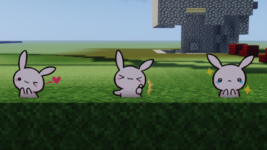
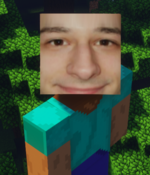
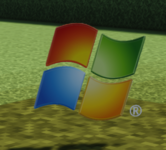
While collecting all these unique items for my own stash, I realized in March 2021 I was rapidly running out of room in my saved hotbars and needed to find a way to expand my hotbar space. Thus began the development of a mod that would later become Hotbars+ and now Librarian, and boy did it get some mileage. After initially being privately distributed for quite some time, I publicly released the mod and its source code for anyone who was interested. To my surprise, the mod became extremely popular in item collecting and distributing circles and it is still being used by the NBT community today. Cheers to the NBT Archives, The Shulker Archives, and the Minecraft Item Cult. You guys are awesome.
The crash variant turned administrative tool
As I mentioned before, there is no check for the correct dimensions of a player skin. While this does allow for HD skins, it also works both ways as a crash exploit by having a skin texture that is way too small. When the game tries to strip the transparency from the head part of the texture during theremapTexture function, the game checks to make sure that the pixels within said boundaries are at least within the boundaries of the texture file and if it finds that this is not the case, it throws an IllegalArgumentException complaining that the pixel requested is outside of the boundaries, as shown with the code below.
Java:
private static void stripAlpha(NativeImage image, int x1, int y1, int x2, int y2) {
    for (int i = x1; i < x2; i++) {
        for (int j = y1; j < y2; j++) {
            image.setPixelColor(i, j, image.getPixelColor(i, j) | 0xFF000000);
        }
    }
}
Java:
public int getPixelColor(int x, int y) {
    if (this.format != NativeImage.Format.ABGR) {
        throw new IllegalArgumentException(String.format("getPixelRGBA only works on RGBA images; have %s", this.format));
    } else if (x <= this.width && y <= this.height) {
        this.checkAllocated();
        long l = (long)((x + y * this.width) * 4);
        return MemoryUtil.memGetInt(this.pointer + l);
    } else {
        throw new IllegalArgumentException(String.format("(%s, %s) outside of image bounds (%s, %s)", x, y, this.width, this.height));
    }
}
So, what happens if you try to load in a texture that is 1x1 in pixels? Well, the game gets past the checks mentioned earlier and calls
stripAlpha function to strip the transparency from the image at the head level, the function goes through each pixel starting from top to bottom and left to right, tries to get a pixel that is outside the boundaries of the image, and-IllegalArgumentException, followed by the coordinates of the pixel that it tried to get and the actual size of the texture.
Code:
java.lang.IllegalArgumentException: (0, 2) outside of image bounds (1, 1)
    at det.a(SourceFile:191) ~[minecraft-1.16.5-client.jar:?]
    at ejt.b(SourceFile:209) ~[minecraft-1.16.5-client.jar:?]
    at ejt.c(SourceFile:178) ~[minecraft-1.16.5-client.jar:?]
    at ejt.a(SourceFile:143) ~[minecraft-1.16.5-client.jar:?]
    at ejt.b(SourceFile:122) ~[minecraft-1.16.5-client.jar:?]
    at ejt$$Lambda$4982/1740643949.run(Unknown Source) ~[?:?]
    at aob.c(SourceFile:144) [minecraft-1.16.5-client.jar:?]
    at aof.c(SourceFile:23) [minecraft-1.16.5-client.jar:?]
    at aob.y(SourceFile:118) [minecraft-1.16.5-client.jar:?]
    at aob.bl(SourceFile:103) [minecraft-1.16.5-client.jar:?]
    at djz.e(SourceFile:1015) [minecraft-1.16.5-client.jar:?]
    at djz.e(SourceFile:681) [minecraft-1.16.5-client.jar:?]
    at net.minecraft.client.main.Main.main(SourceFile:215) [minecraft-1.16.5-client.jar:?]
    at org.prismlauncher.launcher.impl.StandardLauncher.launch(StandardLauncher.java:105) [NewLaunch.jar:?]
    at org.prismlauncher.EntryPoint.listen(EntryPoint.java:129) [NewLaunch.jar:?]
at org.prismlauncher.EntryPoint.main(EntryPoint.java:70) [NewLaunch.jar:?]After being shown the exploit in late November 2020, @Panther realized there was a legitimate, viable administrative use for this exploit in the form of a rudimentary alternate account tracker, taking advantage of the fact that skin caches are persistent across accounts and even instances as long as they are on the same computer. The idea behind it is that you would create a variant of the exploit unique to a very specific user and then show the item to only them. Since the game doesn't immediately crash, it is a silent and otherwise unnoticable process unless the suspicious user was aware of it. To avoid false positives, the texture is either removed entirely from the Education Edition servers or replaced with an innocent texture. After the suspicious user restarts their client later down the line, they are effectively "tagged". To verify if another user is actually an alternate account of said person, you show them the head you tagged them with earlier. If they crash, it's a hit. If they don't, it's a miss.
I was impressed with the idea, but the problem is that without a mod specifically intended to fix the exploit, you would crash just trying to deploy the exploit in any way. Enter Cockblocker, a mod I wrote very shortly afterwards that adds a boundary check to the
remapTexture function and replacing any out of bounds textures with an obvious replacement, thereby preventing the game from crashing and making it obvious when someone is trying to deploy it against other users. This patch was developed and distributed in private, so suddenly we had a means of safely using the exploit as an administrative tool. Now, we just needed a reliable case to prove it worked.Six months later, we were dealing with a serial bypasser who was unappealably banned from the server named Nathaniel_428 after actively preying on one of our staff members. Panther decided to use the exploit to actively hunt for his alternate accounts after tagging him under anthony_han and ban the accounts very quickly, and it proved to be an extremely effective tool for this task. It became a bit of a game of whack-a-mole, but now the exploit gave us an incredible advantage over both him (now we knew who was Nathaniel and who wasn't) and also other malicious parties who were also using the exploit at around the same time (because we were immune to all variants). This advantage lasted for the rest of the time the server was running 1.16.5.
The update that killed HD heads
The release of 1.17 marked the end for the exploit as that version introduced much more stringent checks in both the authentication library and the core game code itself. Within the authentication library a "blocklist" was introduced which specifically prevented the game from loading textures from botheducation.minecraft.net and bugs.mojang.com.
Java:
private static final String[] ALLOWED_DOMAINS = new String[] { ".minecraft.net", ".mojang.com" };

private static final String[] BLOCKED_DOMAINS = new String[] { "education.minecraft.net", "bugs.mojang.com" };

private static boolean isAllowedTextureDomain(String url) {
    URI uri;
    try {
        uri = new URI(url);
    } catch (URISyntaxException ignored) {
        throw new IllegalArgumentException("Invalid URL '" + url + "'");
    }
    String domain = uri.getHost();
    return (isDomainOnList(domain, ALLOWED_DOMAINS) && !isDomainOnList(domain, BLOCKED_DOMAINS));
}

private static boolean isDomainOnList(String domain, String[] list) {
    for (String entry : list) {
        if (domain.endsWith(entry))
            return true;
    }
    return false;
}
Furthermore, to further prevent HD heads from being created in the future, the game had additional checks added to the
remapTexture function which check to make sure that the texture is 64x32 or 64x64 before loading it as a skin texture, and if it fails then it will return null (meaning no texture is loaded) and the game throws a warning message into the logs.
Java:
@Nullable
private NativeImage remapTexture(NativeImage image) {
    int i = image.getHeight();
    int j = image.getWidth();
    if (j == 64 && (i == 32 || i == 64)) {
        boolean bl = i == 32;
        if (bl) {
            NativeImage nativeImage = new NativeImage(64, 64, true);
            nativeImage.copyFrom(image);
            image.close();
            image = nativeImage;
            nativeImage.fillRect(0, 32, 64, 32, 0);
            nativeImage.copyRect(4, 16, 16, 32, 4, 4, true, false);
            nativeImage.copyRect(8, 16, 16, 32, 4, 4, true, false);
            nativeImage.copyRect(0, 20, 24, 32, 4, 12, true, false);
            nativeImage.copyRect(4, 20, 16, 32, 4, 12, true, false);
            nativeImage.copyRect(8, 20, 8, 32, 4, 12, true, false);
            nativeImage.copyRect(12, 20, 16, 32, 4, 12, true, false);
            nativeImage.copyRect(44, 16, -8, 32, 4, 4, true, false);
            nativeImage.copyRect(48, 16, -8, 32, 4, 4, true, false);
            nativeImage.copyRect(40, 20, 0, 32, 4, 12, true, false);
            nativeImage.copyRect(44, 20, -8, 32, 4, 12, true, false);
            nativeImage.copyRect(48, 20, -16, 32, 4, 12, true, false);
            nativeImage.copyRect(52, 20, -8, 32, 4, 12, true, false);
        }

        stripAlpha(image, 0, 0, 32, 16);
        if (bl) {
            stripColor(image, 32, 0, 64, 32);
        }

        stripAlpha(image, 0, 16, 64, 32);
        stripAlpha(image, 16, 48, 48, 64);
        return image;
    } else {
        image.close();
        LOGGER.warn("Discarding incorrectly sized ({}x{}) skin texture from {}", new Object[]{j, i, this.url});
        return null;
    }
}
This effectively killed the exploit and the momentum of the previously thriving ecosystem along with it. Many players in communities surrounding HD heads were very disappointed upon finding out what happened. Some people tried in vain to bypass Mojang's patches but to no avail, and eventually the ecosystem began to die off after the release of 1.17 and fully died when the server updated to 1.17.1.
Conclusion
Thanks again for reading this thread. I have extremely fond memories of this exploit, and I was sorely disappointed when I found out they patched it. This exploit is what pushed me to research ways to easily expand my saved hotbar capacity, resulting in the beginning of the development of Hotbars+ and now Librarian, and to this day I still miss coming onto the server and seeing what kind of new stuff people made with it. I'm going to leave you with a video made by Lyicx from back then demonstrating how people were able to pull this exploit off. Let me know if there's any other exploits I should talk about in the replies below, because there are a bunch more just waiting to be documented in the same way.
Last edited:


